 |
james@goldlineadvisory.com · goldlineadvisory.com (312) 555-0134
Schedule a review → | |||||||||||||||


Advisor Serif
A portrait beside a secondary company mark, set in a serif for a more established tone.
A face makes an email feel like it came from a person. These templates place your portrait beside or above your details — circle, rounded or square — and keep everything else secondary.
71 templates
|
james@goldlineadvisory.com · goldlineadvisory.com (312) 555-0134
Schedule a review → | |||||||||||||||
A portrait beside a secondary company mark, set in a serif for a more established tone.
 |
| |||||||||||||||||
Face forward, agency logo second, and a button that asks for the quote.
 |
| |||||||||||||||||
Headshot, full social row and a listings button — built for agents who live in their inbox.
 |
elena@lumenphoto.co · lumenphoto.co (503) 555-0148
Book a session → | |||||||||||||||
Portrait first, two social icons, and one quiet session booking link.
|
james@apexgrowth.com · apexgrowth.com (646) 555-0152
| |||||||||||||||||
Portrait-led with a single scheduling button — the format that books the most meetings.
|
Book an appointment → | |||||||||||||||
This message may contain confidential health information intended only for the named recipient. If you received it in error, please notify the sender and delete it.
A portrait patients recognize, an appointment link and the confidentiality notice below.
One signature: Customize and paste it free.
Google Workspace team: Apply this design to everyone — no employee setup or copy-and-paste.
|
marcus.reid@brookfield.edu · brookfield.edu (781) 555-0157
View my portfolio → | ||||||||||||||
A rounded portrait beside your degree line, with a link to the portfolio or résumé recruiters ask for.
 |
Book a parent conference → | |||||||||||||||
A friendly portrait, department and school, icon-led details and a conference-booking link.
|
david@vectorsystems.dev · vectorsystems.dev (415) 555-0192
See what we're building → | |||||||||||||||
Rounded portrait, a restrained accent, and one quiet link to what the company is building.
|
| |||||||||||||||||
Portrait, icon-led contact rows and a calendar button — the signature candidates reply to.
|
james@harborhomeloans.com · harborhomeloans.com M (415) 555-0158 · O (415) 555-0100
| |||||||||||||||||
NMLS ID 000000. Equal Housing Lender.
Headshot, a pre-approval button and a licensing line beneath — restrained enough to sit comfortably next to a realtor's.
|
elena@thistleandfern.com · thistleandfern.com M (503) 555-0122 · O (503) 555-0100
| |||||||||||||||||
Your face beside the shop name, green accents and a delivery button — the signature regulars recognize.
| |||||
ELENA RUIZ | |||||
Wedding Photographer · Lumen Photography | |||||
elena@lumenphoto.co · (503) 555-0148 · lumenphoto.co | |||||
| |||||
| |||||
|
A centered card: your portrait on top, tracked capitals, a dotted rule and a link to the galleries.
|
elena@lumenphoto.co · (503) 555-0148 · lumenphoto.co
Latest work on Instagram → | |||||||||||||||
Square portrait, a single accent colour, and the social row doing the work — with a link straight to your latest posts.
|
maya@lumenphoto.co (503) 555-0139 (503) 555-0100 lumenphoto.co
See pricing & packages → | |||||||||||||||
Your portrait and the studio mark side by side, labeled phone rows and studio accents — the photographer as a business.
| |||||
MARCUS HALE | |||||
Buyer's Agent · Bellwood Realty Group | |||||
marcus@bellwoodrealty.com · (214) 555-0187 · (214) 555-0100 · bellwoodrealty.com | |||||
| |||||
| |||||
|
Centered and symmetrical — portrait, name in capitals, a short rule and every way to reach you on one line.
| |||||
Marcus Hale | |||||
Strategy Consultant · Meridian Advisory | |||||
marcus@meridianadvisory.com · (617) 555-0176 · (617) 555-0130 · meridianadvisory.com | |||||
| |||||
| |||||
|
Centered portrait and a short rule, with one link to book a discovery call. Reads like a business card.
|
marcus@meridianadvisory.com · (617) 555-0176 · (617) 555-0130 · meridianadvisory.com
| |||||||||||||||
Tracked capitals, a square portrait and a single inline contact line — editorial rather than corporate.
|
jwhitfield@halewhitmore.com · halewhitmore.com M (312) 555-0166 · O (312) 555-0120
| |||||||||||||||
This message may contain confidential information intended only for the named recipient.
Portrait and firm mark together, grayscale icons and the confidentiality notice every firm needs.
| |||||
Marcus Hale | |||||
Account Executive · Apex Growth Partners | |||||
marcus@apexgrowth.com · (646) 555-0193 · (646) 555-0110 · apexgrowth.com | |||||
| |||||
| |||||
|
Centered portrait, a short rule and a filled button to book a demo — the whole pitch in one glance.
| |||||||||||||||||||
Square portrait on a tinted card with a filled button — warm, personal and unmistakably a sales signature.
| |||||
Maya Chen | |||||
Talent Partner · Northwind Studio | |||||
maya@northwindstudio.com · (415) 555-0149 · northwindstudio.com | |||||
| |||||
| |||||
|
Centered portrait, one rule and a button to book an intro call — candidates see a person, not a pipeline.
| |||||
Maya Chen | |||||
Grade 4 Teacher · Brookfield Academy | |||||
mchen@brookfieldacademy.org · (617) 555-0136 · brookfieldacademy.org | |||||
| |||||
| |||||
|
Centered portrait, a soft rule and a link to your class page — approachable for parents and students.
| |||||
DAVID OKAFOR | |||||
M.Arch Candidate · Brookfield University | |||||
david.okafor@brookfield.edu · (617) 555-0128 · www.linkedin.com | |||||
| |||||
|
Centered photo, capitals name, an indigo rule and a link to your portfolio — for internship and research outreach.
|
maya.chen@northwindstudio.com · www.linkedin.com (415) 555-0173
| |||||||||||||||
Rounded photo, studio accents and a dotted rule — professional enough for the company you're interning at.
|
james.whitfield@example.com · www.linkedin.com (312) 555-0189
View my portfolio → | ||||||||||||||
Photo, current title, a slim rule and a portfolio link — the signature on every application follow-up.
| |||||
Elena Ruiz | |||||
Operations Manager · Austin, TX | |||||
elena.ruiz@example.com · (512) 555-0134 · www.linkedin.com | |||||
| |||||
|
Centered and understated with a resume link and one LinkedIn icon — quietly confident.
| |||||
Maya Chen | |||||
Head of Marketing · Signal & Co. | |||||
maya@signalandco.com · (415) 555-0186 · signalandco.com | |||||
| |||||
| |||||
|
Centered portrait, a bold rule, full social row and a link to the latest campaign — social-first by design.
|
priya@opendoorfoundation.org · opendoorfoundation.org M (312) 555-0197 · O (312) 555-0180
| |||||||||||||||||
Rounded photo, soft accents and a filled donate button — the person behind the mission, with a way to help.
Maya Chen Realtor® Bellwood Realty Group maya@bellwoodrealty.com M (214) 555-0158 O (214) 555-0100 bellwoodrealty.com
 | | |||||||||||||
Details first, your portrait in a column on the right past a solid rail, and an outlined button to book a showing.
| |||||||||||||||||
A hairline frame around the whole card, rounded portrait, brokerage mark top-right and glyph-led contact rows.
|
A band across the top, square portrait centered beneath it, and a filled button for the newest listings.
ELENA RUIZ Photographer Lumen Photography elena@lumenphoto.co (503) 555-0148 lumenphoto.co
 | | |||||||||||||
Tracked capitals and monochrome icons on the left, a square portrait on the right — the image stays in the frame, the type stays quiet.
|
A centered, hairline-framed card with a rounded portrait, glyph contacts and one text link to book.
Marcus Hale Principal Consultant Meridian Advisory marcus@meridianadvisory.com M (617) 555-0176 O (617) 555-0130 meridianadvisory.com
 | | |||||||||||||
Your details lead, your portrait sits to the right of a slim rail, and the firm's mark tucks under the contact rows.
| |||||||||||||||||
A band on top, rounded portrait, stacked contact rows and grayscale icons — a profile that reads as letterhead.
| |||||
MARCUS HALE | |||||
Strategy Consultant · Meridian Advisory | |||||
marcus@meridianadvisory.com · (617) 555-0176 · (617) 555-0130 · meridianadvisory.com | |||||
| |||||
| |||||
|
Square portrait on top, tracked capitals, a dashed rule and a link to your latest thinking.
Maya Chen Account Executive Apex Growth Partners maya@apexgrowth.com M (646) 555-0151 O (646) 555-0110 apexgrowth.com
 | | |||||||||||||
Rounded portrait to the right of an accent rail, labeled phone rows, a filled demo button and the company mark beneath.
| |||||||||||||||||||
A blue band across the top, glyph-led contact rows beside your portrait and an outlined button to see pricing.
James Whitfield Managing Partner, CPA Goldline Advisory james@goldlineadvisory.com M (312) 555-0183 O (312) 555-0118 goldlineadvisory.com
Book a tax planning call →  | | |||||||||||
This message may contain confidential information intended only for the named recipient.
Your details on the left, portrait on the right past a solid rail, the firm's ledger mark below and a link to book a planning call.
Hannah Brooks Owner & Head Roaster Goldline Coffee Roasters hannah@goldlinecoffee.com (503) 555-0162 goldlinecoffee.com
| | |||||||||||||
The owner's rounded portrait on the right, the shop's mark under the details and an outlined button to visit.
Jordan Ellis Brand & Web Designer Jordan Ellis Design jordan@jordanellis.design (303) 555-0146 jordanellis.design
 | | |||||||||||||
Square portrait on the right of a warm rail, your details first and an outlined button to your recent projects.
|
A terracotta band over a centered card, rounded portrait, tracked capitals and a filled button to hire you.
Priya Anand Nurse Practitioner Riverside Family Clinic
Book an appointment →  | | |||||||||||
This message may contain confidential health information intended only for the named recipient. If you received it in error, please notify the sender and delete it.
Your portrait to the right of a teal rail, glyph contacts, a booking link and the health-privacy disclaimer.
Maya Chen Grade 5 Teacher Brookfield Academy mchen@brookfieldacademy.org M (617) 555-0159 O (617) 555-0100 brookfieldacademy.org
Homework & class updates →  | | |||||||||||
A rounded portrait on the right, a slim rail and a link to class updates — approachable for parents and students.
Marcus Reid MSc Computer Science, Class of 2027 Brookfield University marcus.reid@brookfield.edu (617) 555-0181 www.linkedin.com
View my portfolio → | | |||||||||||
Square portrait to the right of an indigo rail, your programme under your name and a link to your portfolio.
James Whitfield Senior Loan Officer Harbor Home Loans james@harborhomeloans.com M (214) 555-0196 O (214) 555-0160 harborhomeloans.com
 | | |||||||||||||
NMLS ID 000000. Equal Housing Lender.
Your portrait on the right, the lender's mark under your details, an outlined pre-approval button and the NMLS line.
Maya Chen Licensed Insurance Agent Harbor Insurance Group maya@harborinsurance.com M (214) 555-0171 O (214) 555-0130 harborinsurance.com
| | |||||||||||||
This message may contain confidential information intended only for the named recipient.
A rounded portrait beside a blue rail, an outlined quote button and the confidentiality line beneath.
Samuel Ortiz Talent Acquisition Lead Harbor Logistics sortiz@harborlogistics.com (214) 555-0163 harborlogistics.com
 | | |||||||||||||
Your portrait to the right, a teal rail, and a filled button to the open roles — candidates see a person, then a path.
| |||||||||||||||||||
A plum band on top, square portrait beside the studio mark and an outlined button to recent work.
James Whitfield Partner, Litigation Hale & Whitmore LLP jwhitfield@halewhitmore.com M (312) 555-0166 O (312) 555-0120 halewhitmore.com
 | | |||||||||||
This message may contain confidential information intended only for the named recipient.
Georgia type, a navy rail, your portrait on the right and the firm's mark below — with the privileged-communication line.
Priya Anand Staff Engineer Vector Systems priya@vectorsystems.io · (415) 555-0119 · vectorsystems.io
Read the changelog →  | | |||||||||||
Rounded portrait past an indigo rail, one inline contact line and a link to the changelog — short enough for a busy inbox.
Marcus Hale Head of Growth Signal & Co. marcus@signalandco.com (646) 555-0177 signalandco.com
 | | |||||||||||||
Square portrait to the right of a mulberry rail, four social icons under the details and an outlined link to the playbook.
|
james@bellwoodrealty.com (214) 555-0171 (214) 555-0100 bellwoodrealty.com | | ||||||||||||
| |||||||||||||
Your photo on a solid band, brokerage below, and a button to book a showing.
|
elena@lumenphoto.co (503) 555-0148 lumenphoto.co | | ||||||||||
View portfolio → | |||||||||||
A deep band with your portrait, then the studio and a portfolio link.
|
david@okafor.media okafor.media |  | ||||||||||||
|
Color block, portrait, three platforms and a button to the latest episode.
|
maya@northwindstudio.com · northwindstudio.com M (206) 555-0188 · O (206) 555-0142
| |||||||||||||||
 |
The Profile layout with a linked campaign banner beneath — for a launch, an event, an award.
|
marcus@northwindstudio.com (206) 555-0177 northwindstudio.com |  | ||||||||||||
|
Brand-color band with your face and title, then a demo button that's hard to miss.
|
maya@brightsidecleaning.com (404) 555-0140 (404) 555-0100 brightsidecleaning.com |  | ||||||||||||
|
A fresh band with a friendly portrait and a one-tap booking button.
|
elena@signalandco.com (312) 555-0181 signalandco.com | | ||||||||||||
| |||||||||||||
A bold band, rounded portrait and a button to the campaign you're running this quarter.
|
maya@lumenphoto.co (503) 555-0139 lumenphoto.co | | ||||||||||||
| |||||||||||||
The whole band in your brand colour with a rounded portrait, then a filled button to book a session.
|
elena@lumenphoto.co · lumenphoto.co (503) 555-0148
| |||||||||||||||
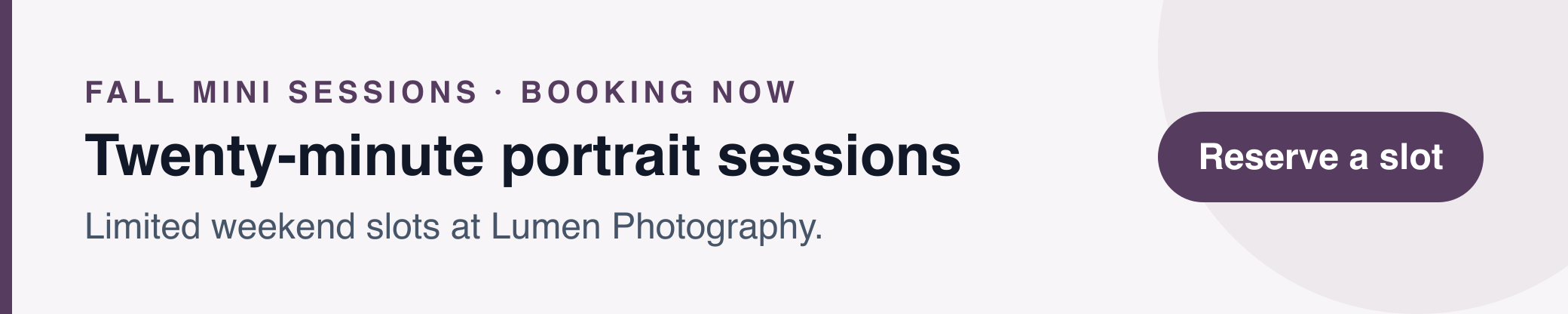 |
A profile signature with a seasonal banner underneath — the promotion travels with every email until you switch it off.
|
marcus@bellwoodrealty.com (214) 555-0187 (214) 555-0100 bellwoodrealty.com | | ||||||||||||
| |||||||||||||
A deep band with your portrait, the brokerage mark beside the contact rows and a button to get a home valuation.
|
| |||||||||||||||
|
A realtor profile with a promotional banner beneath it for this weekend's event or newest listing.
|
david@meridianadvisory.com (617) 555-0142 (617) 555-0130 meridianadvisory.com | | ||||||||||||
| |||||||||||||
A solid band, square portrait and a filled button — for consultants who sell with confidence.
|
eruiz@halewhitmore.com (312) 555-0174 (312) 555-0120 halewhitmore.com | | ||||||||||||
| |||||||||||||
This message may contain confidential information intended only for the named recipient.
A full-width band with your portrait, the firm mark beside the contact rows, and a button to schedule a consultation.
|
david@harborinsurance.com (214) 555-0119 (214) 555-0130 harborinsurance.com | | ||||||||||||
| |||||||||||||
A confident blue band with your portrait and a filled quote button — a friendly face for a business built on trust.
|
maya@harborhomeloans.com (214) 555-0138 (214) 555-0160 harborhomeloans.com | | ||||||||||||
| |||||||||||||
NMLS ID 000000. Equal Housing Lender.
A deep teal band with your portrait, lender mark beside the details, a pre-approval button and the license line.
|
david@vectorsystems.io (415) 555-0141 vectorsystems.io | | ||||||||||
| |||||||||||
An indigo band with a square photo, then stacked details — a developer signature with some presence.
JONATHAN REEVE Chief Executive Officer Sterling Pierce jreeve@sterlingpierce.com M (212) 555-0161 O (212) 555-0144 sterlingpierce.com
 | | |||||||||||
This message may contain confidential information intended only for the named recipient.
Tracked capitals and grayscale icons with your portrait held in a right-hand column — presence without a colour block.
| |||||
Jonathan Reeve | |||||
Founder & Chair · Sterling Pierce | |||||
jreeve@sterlingpierce.com · (212) 555-0161 · (212) 555-0144 · sterlingpierce.com | |||||
| |||||
|
Portrait centered on top, a short rule and grayscale icons — a calling card rather than a letterhead.
One signature: Customize and paste it free.
Google Workspace team: Apply this design to everyone — no employee setup or copy-and-paste.
Upload a clear, well-lit headshot; the crop tool centers it.
Photos are hosted for you so they load in the recipient's inbox.
Add a small company logo only if it doesn't compete with the portrait.
Every template here is free to customize in the signature generator and install yourself. If your company runs on Google Workspace, the same design can be applied to every employee from the admin side — see how team management works.