Sofia Laurent Principal Consultant · Meridian Advisory sofia@meridianadvisory.com (617) 555-0133 meridianadvisory.com
Book a discovery call → | |||||||||||
Advisory Rule
Text-first and image-free — stays readable when Gmail blocks pictures.
Google Workspace templates
Customize a professional Gmail signature free, or apply the same branded design across your Google Workspace team.
Free customization and copy-paste. Team sync includes a 14-day trial.
Maya Chen · Head of Operations
 | Maya Chen Head of Operations Northwind Studio
| ||||||||||||||||||
This message may contain confidential information intended only for the named recipient.
159 Gmail-ready designs. Customize one free, or apply it across a Workspace team.
Showing 12 of 159
Sofia Laurent Principal Consultant · Meridian Advisory sofia@meridianadvisory.com (617) 555-0133 meridianadvisory.com
Book a discovery call → | |||||||||||
Text-first and image-free — stays readable when Gmail blocks pictures.
|
Maya Chen · Creative Director · Northwind Studio
 maya@northwindstudio.com
  (206) 555-0188
  (206) 555-0142
  northwindstudio.com
 |  |  |  |  |
See recent work →
Leads with the company mark, like letterhead, then one line of identity.
 |
jwhitfield@halewhitmore.com · halewhitmore.com M (312) 555-0166 · O (312) 555-0120
| |||||||||||||||
This message may contain confidential information intended only for the named recipient.
Employee photo beside the details, so clients recognize who emailed them.
 | Jonathan Reeve · Managing Director, Sterling Pierce jreeve@sterlingpierce.com · (212) 555-0161 · sterlingpierce.com |
Two short lines — a compact signature that stays out of long threads.
|
marcus@northwindstudio.com (206) 555-0177 northwindstudio.com | | ||||||||||||
| |||||||||||||
Name and title on a brand-color band, with a booking button underneath.
 | Daniel Hale Partner Hale & Whitmore LLP
| ||||||||||||||||||
This message may contain confidential information intended only for the named recipient.
Labeled contact grid plus a confidentiality line for regulated teams.
Jonathan Reeve Managing Director · Sterling Pierce jreeve@sterlingpierce.com M (212) 555-0161 O (212) 555-0144 sterlingpierce.com
| |||||||||||
Restrained and text-first, with grayscale social icons that stay out of the way.
|
james@goldlineadvisory.com · goldlineadvisory.com (312) 555-0134
Schedule a review → | |||||||||||||||
A portrait beside a secondary company mark, set in a serif for a more established tone.
Amara Whitmore Senior Associate · Hale & Whitmore LLP awhitmore@halewhitmore.com M (202) 555-0195 O (202) 555-0170 halewhitmore.com
| |||||||||||
This message may contain confidential information intended only for the named recipient.
Serif, no imagery, a slim rail and the confidentiality line — nothing to distract.
 | Theo Whitaker Managing Partner, CPA Goldline Advisory
| ||||||||||||||||||
This message may contain confidential information intended only for the named recipient.
Logo column, tidy labels and a disclaimer — the format finance teams standardize on.
 |
| |||||||||||||||||
Face forward, agency logo second, and a button that asks for the quote.
 |
| |||||||||||||||||
Headshot, full social row and a listings button — built for agents who live in their inbox.
|
james@bellwoodrealty.com (214) 555-0171 (214) 555-0100 bellwoodrealty.com |  | ||||||||||||
|
Your photo on a solid band, brokerage below, and a button to book a showing.
| Priya Anand Brokerage Director Bellwood Realty Group
| ||||||||||||||||||||
A brokerage-wide standard: the house doorway mark, labeled details, one shared call to action.
|
elena@lumenphoto.co (503) 555-0148 lumenphoto.co |  | ||||||||||
View portfolio → | |||||||||||
A deep band with your portrait, then the studio and a portfolio link.
 |
elena@lumenphoto.co · lumenphoto.co (503) 555-0148
Book a session → | |||||||||||||||
Portrait first, two social icons, and one quiet session booking link.
| Elena Ruiz · Photographer, Lumen Photography elena@lumenphoto.co · (503) 555-0148 · lumenphoto.co |
The quietest possible sign-off: name, studio, one Instagram icon.
Jordan Ellis Brand Designer · Jordan Ellis Design jordan@jordanellis.design (303) 555-0119 jordanellis.design
View portfolio → | |||||||||||
A single accent rail, a friendlier typeface and a portfolio link — nothing else.
|
david@okafor.media okafor.media |  | ||||||||||||
|
Color block, portrait, three platforms and a button to the latest episode.
 |
maya@northwindstudio.com · northwindstudio.com M (206) 555-0188 · O (206) 555-0142
| |||||||||||||||
 |
The Profile layout with a linked campaign banner beneath — for a launch, an event, an award.
|
james@apexgrowth.com · apexgrowth.com (646) 555-0152
| |||||||||||||||||
Portrait-led with a single scheduling button — the format that books the most meetings.
 |
James Whitfield · Project Manager · Harbor Construction
james@harborconstruction.com · (415) 555-0121 · (415) 555-0100 · harborconstruction.com
| | | | |
| Request an estimate |
Company logo across the top, office and mobile numbers, and an estimate button.
|
owen@summitroofing.com (720) 555-0155 (720) 555-0100 summitroofing.com |  | ||||||||||||
|
A solid band carries the name; the inspection button does the asking.
|
Carlos Mendes · Service Manager · Northwind Heating & Air
carlos@northwindhvac.com (206) 555-0171 (206) 555-0100 northwindhvac.com
| | | | |
Book a service visit →
Logo-first and horizontal, with both phone lines visible and a service booking link.
| Nina Park · Master Electrician, Voltline Electric nina@voltlineelectric.com · (602) 555-0138 · (602) 555-0100 · voltlineelectric.com |
Two lines with the license title and both numbers — reads fine on a phone at a job site.
Ray Donnelly Owner · BlueLine Plumbing ray@bluelineplumbing.com M (312) 555-0164 O (312) 555-0100 bluelineplumbing.com
| |||||||||||||
Straightforward and legible, with a service-request button and the office line up top.
|
Grace Lin · Lead Designer · Evergreen Landscapes
grace@evergreenlandscapes.com · (503) 555-0126 · (503) 555-0100 · evergreenlandscapes.com
| | | | |
See our work →
A letterhead rule, contact line beneath, and a link to recent projects.
|
maya@brightsidecleaning.com (404) 555-0140 (404) 555-0100 brightsidecleaning.com |  | ||||||||||||
|
A fresh band with a friendly portrait and a one-tap booking button.
 | Victor Salazar Sales Manager Harbor Auto Group
| ||||||||||||||||||||
Dealer logo column, labeled numbers and an inventory button for sales and service desks.
 | Dr. Hannah Brooks, DDS General Dentist Lakeside Dental
Request an appointment → | ||||||||||||||||
This message may contain confidential health information intended only for the named recipient. If you received it in error, please notify the sender and delete it.
Practice mark, clear labels, an appointment link and a confidentiality line.
|
Book an appointment → | |||||||||||||||
This message may contain confidential health information intended only for the named recipient. If you received it in error, please notify the sender and delete it.
A portrait patients recognize, an appointment link and the confidentiality notice below.
 | Nina Park · Patient Coordinator, Riverside Family Clinic npark@riversideclinic.org · (510) 555-0100 · riversideclinic.org This message may contain confidential health information intended only for the named recipient. If you received it in error, please notify the sender and delete it. |
Two lines plus the required confidentiality notice — short enough for high-volume patient email.
 |
Samuel Ortiz · Executive Director · Open Door Foundation
sortiz@opendoorfoundation.org · (312) 555-0149 · (312) 555-0100 · opendoorfoundation.org
| | | | |
Support our work →
Organization mark up top, one-line identity, and a donate link — reads like a letterhead.
Grace Lin Development Director · Open Door Foundation grace@opendoorfoundation.org M (312) 555-0158 O (312) 555-0100 opendoorfoundation.org
| |||||||||||||
Warm accent, three social links and a button that points supporters somewhere useful.
 | Samuel Ortiz Director of Admissions Brookfield Academy
Schedule a campus visit → | ||||||||||||||||||
School mark, structured contact grid and a campus-visit link for admissions teams.
| Maya Chen Head of Operations Northwind Studio
| ||||||||||||||||||
This message may contain confidential information intended only for the named recipient.
The default many companies roll out to everyone: logo, labeled grid, disclaimer.
| Dana Whitlock Estimator Summit Roofing
| ||||||||||||||||||||
The company mark, icon-led contact rows and an inspection button — the crew-wide version.
|
lena@northwindhvac.com (206) 555-0183 (206) 555-0100 northwindhvac.com | | ||||||||||||
| |||||||||||||
A band with the technician's name and title, then both numbers and a tune-up button.
| Tom Reyes · Service Technician, BlueLine Plumbing tom@bluelineplumbing.com · (312) 555-0172 · (312) 555-0100 · bluelineplumbing.com |
Name, company and both numbers in two lines — for the tech replying from the van.
|
Sam Okoro · Licensed Electrical Contractor · Voltline Electric
sam@voltlineelectric.com · (602) 555-0149 · (602) 555-0100 · voltlineelectric.com
| | | | |
| Request a quote |
Company mark up top, a dashed rule, and a quote button under the license title.
Priya Anand MBA Candidate, Class of 2027 · Brookfield University priya.anand@brookfield.edu (781) 555-0139 brookfield.edu
| |||||||||||
Program and graduation year under your name, a dotted rail, and LinkedIn — nothing you don't have yet.
|
marcus.reid@brookfield.edu · brookfield.edu (781) 555-0157
View my portfolio → | ||||||||||||||
A rounded portrait beside your degree line, with a link to the portfolio or résumé recruiters ask for.
Grace Lin · M.Ed. Candidate, Brookfield University grace.lin@brookfield.edu · (781) 555-0128 · brookfield.edu |
Two lines for thesis threads and faculty email — program, school, one LinkedIn icon.
Sofia Laurent Product Marketing Manager · Boston, MA sofia.laurent@example.com (617) 555-0145 sofialaurent.com
See my work → | |||||||||||
Your field and city in place of an employer, a dashed rail, and one portfolio link — nothing a hiring manager has to decode.
Owen Castellan Writer & editor · Portland, OR
| |||||||||||
For the account you use as yourself: name, a line about what you do, city, and icon-led contact details.
 | Elena Ruiz · Illustrator, Portland, OR hello@elenaruiz.art · (503) 555-0167 · elenaruiz.art |
The smallest sign-off that still says who you are — your monogram, two accented lines and an Instagram icon.
Hannah Brooks Grade 5 Teacher · Brookfield Academy hbrooks@brookfieldacademy.edu (781) 555-0100 brookfieldacademy.edu
Class website → | |||||||||||
Grade and subject under your name, the school's main line, and a link to the class page parents actually use.
|
Book a parent conference → | |||||||||||||||
A friendly portrait, department and school, icon-led details and a conference-booking link.
Nina Park Senior Software Engineer · Vector Systems
| |||||||||||
A dashed rail, glyph-led contact rows and no imagery — reads cleanly in dark mode and plain-text clients alike.
|
david@vectorsystems.dev · vectorsystems.dev (415) 555-0192
See what we're building → | |||||||||||||||
Rounded portrait, a restrained accent, and one quiet link to what the company is building.
 | Carlos Mendes · Staff Engineer, Platform, Vector Systems carlos@vectorsystems.dev · (415) 555-0168 · vectorsystems.dev |
Two lines for pull-request threads and on-call handoffs — title, team, one LinkedIn icon.
|
| |||||||||||||||||
Portrait, icon-led contact rows and a calendar button — the signature candidates reply to.
 | Samuel Ortiz HR Business Partner Harbor Logistics
| ||||||||||||||||||
This message may contain confidential information intended only for the named recipient.
Logo column, labeled grid and a confidentiality line — for offer letters and everything else HR sends.
|
james@harborhomeloans.com · harborhomeloans.com M (415) 555-0158 · O (415) 555-0100
| |||||||||||||||||
NMLS ID 000000. Equal Housing Lender.
Headshot, a pre-approval button and a licensing line beneath — restrained enough to sit comfortably next to a realtor's.
| Theo Whitaker Mortgage Loan Originator Goldline Home Loans
| ||||||||||||||||||||
NMLS ID 000000. Equal Housing Lender.
Lender logo, labeled phone and email rows, an application button and the licensing line every loan officer shares.
Dana Whitlock Agency Owner · Harbor Insurance Group dana@harborinsurance.com M (415) 555-0174 O (415) 555-0100 harborinsurance.com
Request a quote → | |||||||||||
No photo, a dashed rail, the agency's main line and a quote link — for agents who prefer understated.
|
elena@signalandco.com (312) 555-0181 signalandco.com |  | ||||||||||||
|
A bold band, rounded portrait and a button to the campaign you're running this quarter.
|
Hannah Brooks · Owner · Goldline Coffee Roasters
hannah@goldlinecoffee.com (312) 555-0153 (312) 555-0100 goldlinecoffee.com
| | | | |
Order online →
Shop mark across the top, hours-friendly icon rows and an order link — for the owner who answers every email.
|
elena@thistleandfern.com · thistleandfern.com M (503) 555-0122 · O (503) 555-0100
| |||||||||||||||||
Your face beside the shop name, green accents and a delivery button — the signature regulars recognize.
| |||||
ELENA RUIZ | |||||
Wedding Photographer · Lumen Photography | |||||
elena@lumenphoto.co · (503) 555-0148 · lumenphoto.co | |||||
| |||||
| |||||
|
A centered card: your portrait on top, tracked capitals, a dotted rule and a link to the galleries.
ELENA RUIZ Editorial & Commercial Photographer · Lumen Photography elena@lumenphoto.co · (503) 555-0148 · lumenphoto.co
Portfolio → | |||||||||||
Dark, text-only and tracked: a heavy rail, a capitals name and one inline line of contact details.
Maya Chen Photographer · Lumen Photography maya@lumenphoto.co (503) 555-0139 lumenphoto.co
| |||||||||||
Name, title, email and site — nothing else. A hairline dashed rail is the only ornament.
|
Maya Chen · Studio Manager · Lumen Photography
maya@lumenphoto.co (503) 555-0139 (503) 555-0100 lumenphoto.co
| | | | |
Logo-first for a studio with more than one shooter: the mark on top, a slim rule, one line each for person and contact.
|
elena@lumenphoto.co · (503) 555-0148 · lumenphoto.co
Latest work on Instagram → | |||||||||||||||
Square portrait, a single accent colour, and the social row doing the work — with a link straight to your latest posts.
|
maya@lumenphoto.co (503) 555-0139 lumenphoto.co | | ||||||||||||
| |||||||||||||
The whole band in your brand colour with a rounded portrait, then a filled button to book a session.
|
Logo centered on top, tinted card behind everything, and one filled button: check availability.
|
maya@lumenphoto.co (503) 555-0139 (503) 555-0100 lumenphoto.co
See pricing & packages → | |||||||||||||||
Your portrait and the studio mark side by side, labeled phone rows and studio accents — the photographer as a business.
|
elena@lumenphoto.co · lumenphoto.co (503) 555-0148
| |||||||||||||||
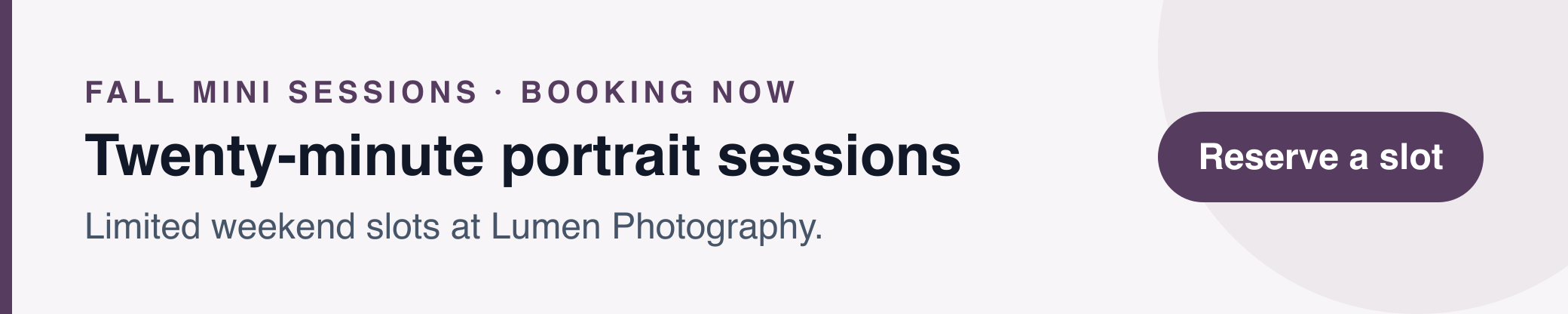 |
A profile signature with a seasonal banner underneath — the promotion travels with every email until you switch it off.
Maya Chen Realtor · Bellwood Realty Group maya@bellwoodrealty.com · (214) 555-0158 · (214) 555-0100 · bellwoodrealty.com
Search homes → | |||||||||||
No photo, no logo: a dashed rail, one inline contact line and a link to search homes. Loads instantly everywhere.
| |||||
MARCUS HALE | |||||
Buyer's Agent · Bellwood Realty Group | |||||
marcus@bellwoodrealty.com · (214) 555-0187 · (214) 555-0100 · bellwoodrealty.com | |||||
| |||||
| |||||
|
Centered and symmetrical — portrait, name in capitals, a short rule and every way to reach you on one line.
|
Maya Chen · Associate Broker · Bellwood Realty Group
maya@bellwoodrealty.com (214) 555-0158 (214) 555-0100 bellwoodrealty.com
| | | | |
View current listings →
The brokerage mark on top, a full-width rule, then the agent with icon-led contact details beneath.
| Marcus Hale · Realtor, Bellwood Realty Group marcus@bellwoodrealty.com · (214) 555-0187 · (214) 555-0100 · bellwoodrealty.com |
Two lines with the brokerage mark, for the twentieth reply in a closing thread.
| ||||||||||||
Tracked capitals, a heavy rail and grayscale icons on a soft tinted card — the quiet-money look.
|
marcus@bellwoodrealty.com (214) 555-0187 (214) 555-0100 bellwoodrealty.com | | ||||||||||||
| |||||||||||||
A deep band with your portrait, the brokerage mark beside the contact rows and a button to get a home valuation.
|
| |||||||||||||||
|
A realtor profile with a promotional banner beneath it for this weekend's event or newest listing.
| |||||
Marcus Hale | |||||
Strategy Consultant · Meridian Advisory | |||||
marcus@meridianadvisory.com · (617) 555-0176 · (617) 555-0130 · meridianadvisory.com | |||||
| |||||
| |||||
|
Centered portrait and a short rule, with one link to book a discovery call. Reads like a business card.
 | David Okafor Principal Meridian Advisory
| ||||||||||||||||||
This message may contain confidential information intended only for the named recipient.
The firm's mark in its own column, icon-led contact grid and a confidentiality line — for a practice of several consultants.
|
Marcus Hale · Founder & Managing Consultant · Meridian Advisory
marcus@meridianadvisory.com
(617) 555-0176
(617) 555-0130
meridianadvisory.com
| | | | |
The practice mark on top, a dashed rule, and contact details stacked one per line beneath the name.
|
david@meridianadvisory.com (617) 555-0142 (617) 555-0130 meridianadvisory.com | | ||||||||||||
| |||||||||||||
A solid band, square portrait and a filled button — for consultants who sell with confidence.
|
marcus@meridianadvisory.com · (617) 555-0176 · (617) 555-0130 · meridianadvisory.com
| |||||||||||||||
Tracked capitals, a square portrait and a single inline contact line — editorial rather than corporate.
| Elena Ruiz · Senior Associate, Hale & Whitmore LLP eruiz@halewhitmore.com · (312) 555-0174 · (312) 555-0120 · halewhitmore.com This message may contain confidential information intended only for the named recipient. |
Two lines and a short confidentiality notice — for the long correspondence threads litigation runs on.
|
James Whitfield · Managing Partner · Hale & Whitmore LLP
jwhitfield@halewhitmore.com
(312) 555-0166
(312) 555-0120
halewhitmore.com
| | | | |
This message may contain confidential information intended only for the named recipient.
The firm's mark as letterhead, a slim rule, and stacked contact rows under the attorney's name.
| |||||
ELENA RUIZ | |||||
Of Counsel · Hale & Whitmore LLP | |||||
eruiz@halewhitmore.com · (312) 555-0174 · (312) 555-0120 · halewhitmore.com | |||||
|
This message may contain confidential information intended only for the named recipient.
Firm mark centered above a capitals name, a slim rule and one contact line — restrained and symmetrical.
|
eruiz@halewhitmore.com (312) 555-0174 (312) 555-0120 halewhitmore.com | | ||||||||||||
| |||||||||||||
This message may contain confidential information intended only for the named recipient.
A full-width band with your portrait, the firm mark beside the contact rows, and a button to schedule a consultation.
Priya Anand Paralegal · Hale & Whitmore LLP
| |||||||||||
This message may contain confidential information intended only for the named recipient.
Text-only with a heavy rail and icon-led rows — the version paralegals and staff can adopt without a photo.
This message may contain confidential information intended only for the named recipient. | ||||||||||||||||||||
Corporate grid on a tinted card, a dashed logo-column divider and labeled rows — the firm as an institution.
| |||||
Marcus Hale | |||||
Account Executive · Apex Growth Partners | |||||
marcus@apexgrowth.com · (646) 555-0193 · (646) 555-0110 · apexgrowth.com | |||||
| |||||
| |||||
|
Centered portrait, a short rule and a filled button to book a demo — the whole pitch in one glance.
Maya Chen Sales Development Representative · Apex Growth Partners maya@apexgrowth.com · (646) 555-0151 · (646) 555-0110 · apexgrowth.com
Book a demo → | |||||||||||
A heavy rail, one inline contact line and a demo link. Fast to read, fast to load, easy to reply to.
 | Marcus Hale Enterprise Account Executive Apex Growth Partners
| ||||||||||||||||||||
Company mark, labeled contact grid and a shared 'Start a trial' button — the same signature for every rep.
|
Maya Chen · Regional Sales Manager · Apex Growth Partners
maya@apexgrowth.com (646) 555-0151 (646) 555-0110 apexgrowth.com
| | | | |
Book time with me →
The company mark on top, icon-led contact line with both mobile and office, and a link to book time.
| Marcus Hale · Account Executive, Apex Growth Partners marcus@apexgrowth.com · (646) 555-0193 · (646) 555-0110 · apexgrowth.com · Book a demo → |
Two lines with the demo link inline — for the follow-up, the follow-up to the follow-up, and the one after that.
| |||||||||||||||||||
Square portrait on a tinted card with a filled button — warm, personal and unmistakably a sales signature.
Priya Anand Patient Coordinator · Riverside Family Clinic
| |||||||||||
This message may contain confidential health information intended only for the named recipient. If you received it in error, please notify the sender and delete it.
Text-only, icon-led rows and the health-information notice — for front desk and clinical staff alike.
|
David Okafor · Practice Administrator · Riverside Family Clinic
dokafor@riversidefamilyclinic.com
(503) 555-0129
(503) 555-0140
riversidefamilyclinic.com
| | | | |
This message may contain confidential health information intended only for the named recipient. If you received it in error, please notify the sender and delete it.
The practice mark as letterhead with a teal rule, stacked contact rows and the confidentiality line beneath.
This message may contain confidential health information intended only for the named recipient. If you received it in error, please notify the sender and delete it. |
Practice logo centered on a tinted card, one contact line and a button to book an appointment.
| Marcus Hale Licensed Agent Harbor Insurance Group
| ||||||||||||||||||||
This message may contain confidential information intended only for the named recipient.
Agency mark, labeled contact grid, a quote button and the disclosure line — one signature for every agent.
| Maya Chen · Account Manager, Harbor Insurance Group maya@harborinsurance.com · (214) 555-0152 · harborinsurance.com · Get a quote → |
Two lines with the agency mark and a quote link — for policy renewals and claims threads.
|
david@harborinsurance.com (214) 555-0119 (214) 555-0130 harborinsurance.com | | ||||||||||||
| |||||||||||||
A confident blue band with your portrait and a filled quote button — a friendly face for a business built on trust.
Marcus Hale Senior Loan Officer · Goldline Home Loans
Apply online → | |||||||||||
NMLS ID 000000. Equal Housing Lender.
A firm rail, icon-led rows and the license line always attached — compliant without a single image.
|
maya@harborhomeloans.com (214) 555-0138 (214) 555-0160 harborhomeloans.com | | ||||||||||||
| |||||||||||||
NMLS ID 000000. Equal Housing Lender.
A deep teal band with your portrait, lender mark beside the details, a pre-approval button and the license line.
| David Okafor · Loan Officer, Goldline Home Loans david@goldlinehomeloans.com · (312) 555-0163 · goldlinehomeloans.com NMLS ID 000000. Equal Housing Lender. |
Two lines plus the license line — small enough for the daily back-and-forth of a file in underwriting.
Priya Anand Head of People · Vector Systems priya@vectorsystems.io · (415) 555-0172 · vectorsystems.io
See open roles → | |||||||||||
One rail, an inline contact line and a link to open roles — the signature that turns every email into a recruiting touchpoint.
| |||||
Maya Chen | |||||
Talent Partner · Northwind Studio | |||||
maya@northwindstudio.com · (415) 555-0149 · northwindstudio.com | |||||
| |||||
| |||||
|
Centered portrait, one rule and a button to book an intro call — candidates see a person, not a pipeline.
| David Okafor · HR Business Partner, Harbor Logistics david@harborlogistics.com · (214) 555-0125 · harborlogistics.com |
Two lines with the company mark — for offer letters, onboarding threads and the hundred replies around them.
| Marcus Hale · Grade 7 Science, Brookfield Academy mhale@brookfieldacademy.org · (617) 555-0158 · brookfieldacademy.org |
Two lines with the school mark — short enough for a term's worth of parent replies.
|
Elena Ruiz · Department Head, English · Brookfield Academy
eruiz@brookfieldacademy.org
(617) 555-0147
(617) 555-0100
brookfieldacademy.org
| | | | |
The school mark as letterhead over a blue rule, with office and classroom numbers stacked beneath your name.
| |||||
Maya Chen | |||||
Grade 4 Teacher · Brookfield Academy | |||||
mchen@brookfieldacademy.org · (617) 555-0136 · brookfieldacademy.org | |||||
| |||||
| |||||
|
Centered portrait, a soft rule and a link to your class page — approachable for parents and students.
Priya Anand · B.S. Computer Science, Class of 2027, Brookfield University priya.anand@brookfield.edu · (617) 555-0191 · www.linkedin.com |
Name, program and one LinkedIn icon on two lines — the right amount for emailing a professor.
| |||||
DAVID OKAFOR | |||||
M.Arch Candidate · Brookfield University | |||||
david.okafor@brookfield.edu · (617) 555-0128 · www.linkedin.com | |||||
| |||||
|
Centered photo, capitals name, an indigo rule and a link to your portfolio — for internship and research outreach.
|
maya.chen@northwindstudio.com · www.linkedin.com (415) 555-0173
| |||||||||||||||
Rounded photo, studio accents and a dotted rule — professional enough for the company you're interning at.
|
james.whitfield@example.com · www.linkedin.com (312) 555-0189
View my portfolio → | ||||||||||||||
Photo, current title, a slim rule and a portfolio link — the signature on every application follow-up.
| |||||
Elena Ruiz | |||||
Operations Manager · Austin, TX | |||||
elena.ruiz@example.com · (512) 555-0134 · www.linkedin.com | |||||
| |||||
|
Centered and understated with a resume link and one LinkedIn icon — quietly confident.
Marcus Hale · Senior Accountant, Denver, CO marcus.hale@example.com · (303) 555-0157 · www.linkedin.com |
Name, target role and LinkedIn on two lines — for recruiter replies that need no more.
| |||||
Maya Chen | |||||
Head of Marketing · Signal & Co. | |||||
maya@signalandco.com · (415) 555-0186 · signalandco.com | |||||
| |||||
| |||||
|
Centered portrait, a bold rule, full social row and a link to the latest campaign — social-first by design.
Marcus Hale Content Lead · Signal & Co. marcus@signalandco.com · (415) 555-0162 · signalandco.com
Subscribe to the newsletter → | |||||||||||
A dotted rail, inline contact line and every social channel — no photo, all personality.
|
david@vectorsystems.io (415) 555-0141 vectorsystems.io | | ||||||||||
| |||||||||||
An indigo band with a square photo, then stacked details — a developer signature with some presence.
| Elena Ruiz Product Manager Vector Systems
What's new → | ||||||||||||||||||
Company mark, icon-led contact grid and a link to the changelog — a shared standard for a growing product org.
| |||||
JAMES WHITFIELD | |||||
Creative Director · Northwind Studio | |||||
james@northwindstudio.com · (415) 555-0155 · northwindstudio.com | |||||
|
Studio mark centered above a capitals name, a short rule and one contact line — a calling card for creative teams.
|
priya@opendoorfoundation.org · opendoorfoundation.org M (312) 555-0197 · O (312) 555-0180
| |||||||||||||||||
Rounded photo, soft accents and a filled donate button — the person behind the mission, with a way to help.
Maya Chen Realtor® Bellwood Realty Group maya@bellwoodrealty.com M (214) 555-0158 O (214) 555-0100 bellwoodrealty.com
| | |||||||||||||
Details first, your portrait in a column on the right past a solid rail, and an outlined button to book a showing.
| |||||||||||||||||
A hairline frame around the whole card, rounded portrait, brokerage mark top-right and glyph-led contact rows.
|
A band across the top, square portrait centered beneath it, and a filled button for the newest listings.
ELENA RUIZ Photographer Lumen Photography elena@lumenphoto.co (503) 555-0148 lumenphoto.co
| | |||||||||||||
Tracked capitals and monochrome icons on the left, a square portrait on the right — the image stays in the frame, the type stays quiet.
|
A centered, hairline-framed card with a rounded portrait, glyph contacts and one text link to book.
Marcus Hale Principal Consultant Meridian Advisory marcus@meridianadvisory.com M (617) 555-0176 O (617) 555-0130 meridianadvisory.com
| | |||||||||||||
Your details lead, your portrait sits to the right of a slim rail, and the firm's mark tucks under the contact rows.
| |||||||||||||||||
A band on top, rounded portrait, stacked contact rows and grayscale icons — a profile that reads as letterhead.
| |||||
MARCUS HALE | |||||
Strategy Consultant · Meridian Advisory | |||||
marcus@meridianadvisory.com · (617) 555-0176 · (617) 555-0130 · meridianadvisory.com | |||||
| |||||
| |||||
|
Square portrait on top, tracked capitals, a dashed rule and a link to your latest thinking.
Maya Chen Account Executive Apex Growth Partners maya@apexgrowth.com M (646) 555-0151 O (646) 555-0110 apexgrowth.com
| | |||||||||||||
Rounded portrait to the right of an accent rail, labeled phone rows, a filled demo button and the company mark beneath.
| |||||||||||||||||||
A blue band across the top, glyph-led contact rows beside your portrait and an outlined button to see pricing.
David Okafor CPA, Tax Partner · Goldline Advisory david@goldlineadvisory.com M (312) 555-0157 O (312) 555-0118 goldlineadvisory.com
| |||||||||||
This message may contain confidential information intended only for the named recipient.
Text only with a slim rail, stacked contact rows, grayscale icons and the confidentiality line every CPA firm asks for.
James Whitfield Managing Partner, CPA Goldline Advisory james@goldlineadvisory.com M (312) 555-0183 O (312) 555-0118 goldlineadvisory.com
Book a tax planning call → | | |||||||||||
This message may contain confidential information intended only for the named recipient.
Your details on the left, portrait on the right past a solid rail, the firm's ledger mark below and a link to book a planning call.
David Okafor · Audit Senior Manager · Goldline Advisory
This message may contain confidential information intended only for the named recipient. | |||||||||||||
The firm's mark on top inside a hairline frame, a clean rule, glyph contacts and a disclaimer — a letterhead in a box.
| James Whitfield · CPA, Goldline Advisory james@goldlineadvisory.com · (312) 555-0183 · (312) 555-0118 · goldlineadvisory.com This message may contain confidential information intended only for the named recipient. |
Two lines with the firm's ledger mark and a slim rail, plus the disclaimer — for tax season reply chains.
JONATHAN REEVE Chief Executive Officer Sterling Pierce jreeve@sterlingpierce.com M (212) 555-0161 O (212) 555-0144 sterlingpierce.com
| | |||||||||||
This message may contain confidential information intended only for the named recipient.
Tracked capitals and grayscale icons with your portrait held in a right-hand column — presence without a colour block.
| ||||||||||||
A heavy band on top, a matching rail, one inline contact line and nothing else — the boardroom version.
This message may contain confidential information intended only for the named recipient. | ||||||||||||||||||||
The logo column and labeled grid inside a hairline frame, one accent throughout, with the confidentiality line beneath.
| |||||
Jonathan Reeve | |||||
Founder & Chair · Sterling Pierce | |||||
jreeve@sterlingpierce.com · (212) 555-0161 · (212) 555-0144 · sterlingpierce.com | |||||
| |||||
|
Portrait centered on top, a short rule and grayscale icons — a calling card rather than a letterhead.
Hannah Brooks Owner & Head Roaster Goldline Coffee Roasters hannah@goldlinecoffee.com (503) 555-0162 goldlinecoffee.com
| | |||||||||||||
The owner's rounded portrait on the right, the shop's mark under the details and an outlined button to visit.
Grace Lin · Owner & Florist · Thistle & Fern Florist grace@thistleandfern.com · (503) 555-0173 · (503) 555-0150 · thistleandfern.com
| |||||||||||||||
A green band across the top, the shop's mark as a masthead and a filled button to order — the storefront in an email.
| Hannah Brooks · Owner, Goldline Coffee Roasters hannah@goldlinecoffee.com · (503) 555-0162 · goldlinecoffee.com |
Two lines with the shop's mark and a green rail — for order confirmations and quick replies to customers.
Jordan Ellis Brand & Web Designer Jordan Ellis Design jordan@jordanellis.design (303) 555-0146 jordanellis.design
 | | |||||||||||||
Square portrait on the right of a warm rail, your details first and an outlined button to your recent projects.
| ||||||||||||
Text-only inside a hairline frame with a dotted rail and a link to start a project — a business card without a photo.
|
A terracotta band over a centered card, rounded portrait, tracked capitals and a filled button to hire you.
Priya Anand Nurse Practitioner Riverside Family Clinic
Book an appointment → | | |||||||||||
This message may contain confidential health information intended only for the named recipient. If you received it in error, please notify the sender and delete it.
Your portrait to the right of a teal rail, glyph contacts, a booking link and the health-privacy disclaimer.
This message may contain confidential health information intended only for the named recipient. If you received it in error, please notify the sender and delete it. | ||||||||||||||||||||
The clinic's mark, a labeled grid and the privacy line inside a hairline frame — the compliant one, boxed.
Maya Chen Grade 5 Teacher Brookfield Academy mchen@brookfieldacademy.org M (617) 555-0159 O (617) 555-0100 brookfieldacademy.org
Homework & class updates → | | |||||||||||
A rounded portrait on the right, a slim rail and a link to class updates — approachable for parents and students.
| ||||||||||||
A blue band on top of a text-only block with one inline contact line — school colours without a logo.
Marcus Reid MSc Computer Science, Class of 2027 Brookfield University marcus.reid@brookfield.edu (617) 555-0181 www.linkedin.com
View my portfolio → | | |||||||||||
Square portrait to the right of an indigo rail, your programme under your name and a link to your portfolio.
| ||||||||||||
Text-only in a hairline frame with an indigo dotted rail — tidy for internship applications, no photo required.
James Whitfield Senior Loan Officer Harbor Home Loans james@harborhomeloans.com M (214) 555-0196 O (214) 555-0160 harborhomeloans.com
| | |||||||||||||
NMLS ID 000000. Equal Housing Lender.
Your portrait on the right, the lender's mark under your details, an outlined pre-approval button and the NMLS line.
Theo Whitaker · Mortgage Advisor · Goldline Home Loans theo@goldlinehomeloans.com · (312) 555-0184 · (312) 555-0150 · goldlinehomeloans.com
NMLS ID 000000. Equal Housing Lender. | |||||||||||||||
The lender's mark on top inside a hairline frame, a slim rule, a filled apply button and the license line.
Maya Chen Licensed Insurance Agent Harbor Insurance Group maya@harborinsurance.com M (214) 555-0171 O (214) 555-0130 harborinsurance.com
| | |||||||||||||
This message may contain confidential information intended only for the named recipient.
A rounded portrait beside a blue rail, an outlined quote button and the confidentiality line beneath.
Samuel Ortiz Talent Acquisition Lead Harbor Logistics sortiz@harborlogistics.com (214) 555-0163 harborlogistics.com
| | |||||||||||||
Your portrait to the right, a teal rail, and a filled button to the open roles — candidates see a person, then a path.
| |||||||||||||||||||
A plum band on top, square portrait beside the studio mark and an outlined button to recent work.
James Whitfield Partner, Litigation Hale & Whitmore LLP jwhitfield@halewhitmore.com M (312) 555-0166 O (312) 555-0120 halewhitmore.com
| | |||||||||||
This message may contain confidential information intended only for the named recipient.
Georgia type, a navy rail, your portrait on the right and the firm's mark below — with the privileged-communication line.
James Whitfield · Project Manager · Harbor Construction james@harborconstruction.com · (214) 555-0189 · (214) 555-0140 · harborconstruction.com
| |||||||||||||||
A slate band, the company mark as a masthead and an outlined estimate button — the same promise, one notch quieter.
Priya Anand Staff Engineer Vector Systems priya@vectorsystems.io · (415) 555-0119 · vectorsystems.io
Read the changelog → | | |||||||||||
Rounded portrait past an indigo rail, one inline contact line and a link to the changelog — short enough for a busy inbox.
| ||||||||||||||
An olive band over a text-only block and an outlined donate button — the cause in colour, the person in plain type.
Marcus Hale Head of Growth Signal & Co. marcus@signalandco.com (646) 555-0177 signalandco.com
| | |||||||||||||
Square portrait to the right of a mulberry rail, four social icons under the details and an outlined link to the playbook.
Keep your logo, colors and layout consistent while each employee gets their own contact details. Review every signature, then sync to Gmail.
Sample team
| Maya Chen Head of Operations Northwind Studio
| ||||||||||||||||||
This message may contain confidential information intended only for the named recipient.
Workspace admin access required. Nothing changes until you choose to sync. Not an admin? Share with yours
Google’s Admin console can add a company-wide Append Footer. MailSignatures writes a personalized signature into native Gmail settings through the Gmail API.
Personalized for each employee
Visible while composing
Employee setup required
Company-wide updates
Uses native Gmail signature settings
Workspace admin required
Google Workspace does not include a built-in gallery of branded signature templates. Each person can create a signature in Gmail settings, and administrators can add a company-wide Append Footer. MailSignatures provides Gmail-ready templates you can customize yourself or apply across a Workspace team.
For yourself: customize a template, copy it, then paste it into Gmail → Settings → See all settings → Signature. For a team: a Workspace admin can connect MailSignatures, personalize one design from the directory, and sync it to native Gmail signature settings. Google documents the admin options in its Workspace help.
Yes, in two different ways. Google’s Admin Append Footer adds the same block to every outgoing message at delivery. MailSignatures writes a personalized signature into each user’s native Gmail settings so it appears while they compose. Both require administrator access.
A Gmail signature lives in the user’s signature settings, appears while composing, and can be edited in Gmail. An Append Footer is added by Google during delivery — senders do not see it while writing and cannot remove it. MailSignatures uses the Gmail API to write native signatures, not an Append Footer.
Yes. MailSignatures fills the same approved design with each person’s name, title, phone, photo and email from your Google Workspace directory. An Append Footer is the same text for everyone and is not personalized.
You need admin access to connect the directory and sync signatures for other people. Anyone can customize a template and paste it into their own Gmail account. If you are not an admin, send this page to yours.
Yes. Gmail signatures support hosted images. These templates include logo and photo slots with HTTPS URLs, explicit dimensions and descriptive alt text. Images need to be hosted — the generator and the team product do that for you.
Yes. The Gmail app uses the web signature unless the app’s separate Mobile Signature setting is on, which replaces it with plain text. Keep that setting off so phones show the same branded signature as desktop.
Yes. Signatures are written to native Gmail settings, so an employee can edit or replace theirs in Gmail. MailSignatures does not lock the field. Re-syncing from the admin side writes the approved design again.
These are email signatures — the branded footer on a Gmail message. They are not electronic or legally binding document signatures.
Connect Google Workspace to apply one branded design across every employee.
Workspace admin access is required for team setup.